
Type omw on an iPhone and it becomes "On my way!". The same feature exists on the Mac, and it can save you from typing your email address, your postal address, or a stock reply hundreds of times a year. This guide shows how to set it up, where it quietly stops working, and what a text expander adds when you outgrow it.
How to set up text replacement on a Mac
- Open System Settings and click Keyboard.
- Under Text Input, click Text Replacements….
- Click +. In the Replace column type the shortcut, for example
;addr. In the With column type the full text. - Press ⏎. The replacement is live immediately.
Now type ;addr in Notes or Mail followed by a space or punctuation, and it becomes your address. Starting shortcuts with a character you never type on its own, such as ; or ,,, stops them firing by accident.
Text replacements sync through iCloud, so anything you add on the Mac appears on your iPhone and iPad within a minute, and the other way round.
Where does built-in text replacement stop working?
The feature relies on the app using Apple's standard text system. Many popular apps do not, and there the replacements do nothing. In practice you will hit these limits:
- Chrome, and anything built on Chromium or Electron. Google Docs in Chrome, Slack, Discord, Visual Studio Code, Notion, and Figma's desktop app all ignore macOS text replacements or apply them inconsistently.
- Terminal and code editors. Text replacement is off in Terminal, and most editors disable it to avoid mangling code.
- Microsoft Office. Word and Outlook have their own AutoCorrect and do not honour the system list.
- One line only. The With field does not take line breaks, so an email signature or a multi-paragraph reply is out.
- No placeholders. You cannot insert today's date, the contents of the clipboard, or leave the cursor in the middle of the text.
- No organisation. It is one flat list. Past a few dozen entries, finding and editing them is a chore.
- Timing. Replacement happens when you type the space after the shortcut. If you paste the shortcut, or the app processes keystrokes itself, nothing fires.
If your text replacement "is not working", the app you are typing in is almost always the reason, not your settings.
What does a text expander add?
A text expander is a menu bar app that watches what you type in every app and swaps abbreviations for snippets. Because it works at the system level rather than through the app's text engine, it fires in Chrome, Slack, Terminal, and everywhere else. The extras are the point:
- Multi-line snippets. Full email templates, code blocks, meeting agendas.
- Placeholders. Today's date, the current clipboard, a fill-in field, and a cursor position so you land exactly where you need to keep typing.
- Groups and search. Snippets organised by project or client, searchable when you forget an abbreviation.
- Import and export. Move your library between tools.
The established options are TextExpander (a yearly subscription with team sharing), Typinator and Rocket Typist (one-time purchases), and Espanso (free, open source, configured with text files). All of them expand text well. None of them keep a clipboard history or read text off the screen, so most people who use one run a clipboard manager next to it.
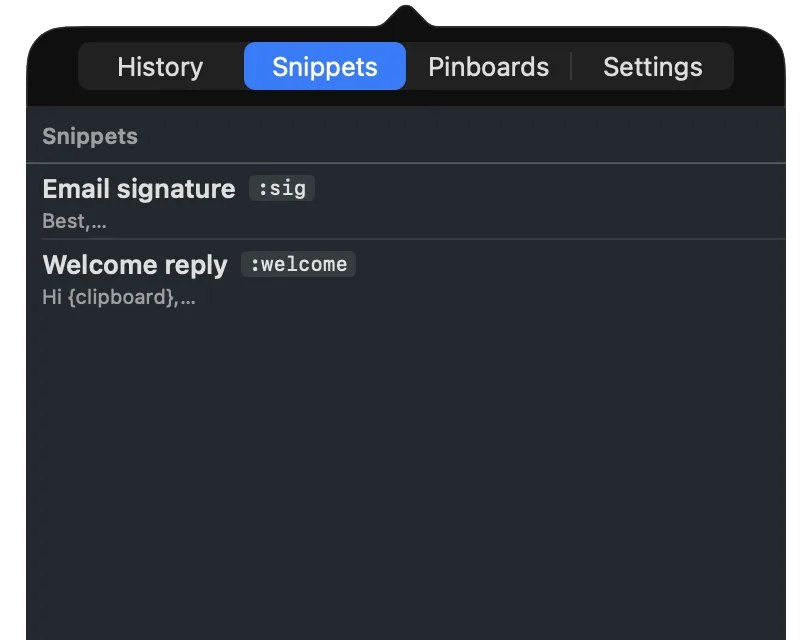
Snippets in SnipVault
SnipVault folds expansion into the clipboard manager, so one app covers both:
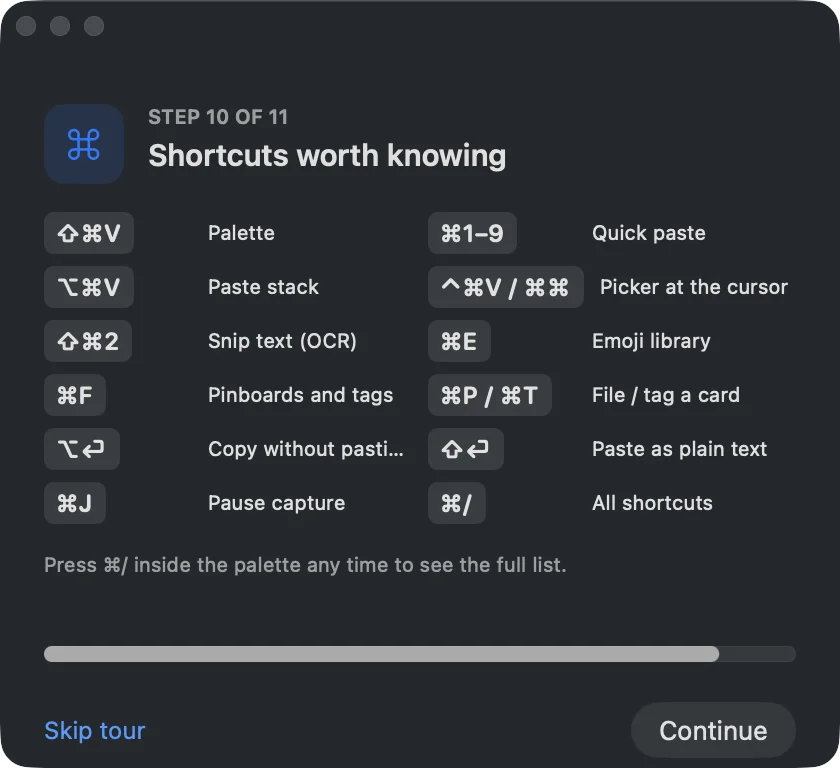
- Copy anything you reuse, then press ⇧⌘V, find it, and save it as a snippet with a keyword such as
:sig. - Type
:sigin any app. It expands inline, in Chrome, Slack, or Terminal. - Add placeholders:
{date}inserts today's date,{clipboard}drops in whatever you last copied, and{cursor}sets where your cursor lands after expansion.
A reply template looks like this:
Hi {clipboard},

Thanks for getting in touch. I've attached the details you asked for.
{cursor}

Best,
Diljit
Copy the customer's name, type :reply, and the template appears with their name filled in and your cursor on the empty line. Snippets are organised in folders, searchable from the palette, and importable from Raycast, Espanso, and TextExpander so existing keywords keep working. They live on your Mac.
When to use which
| Need | Built-in text replacement | Text expander or SnipVault snippets |
|---|---|---|
| Short single-line shortcuts in Apple apps | Yes | Yes |
| Works in Chrome, Slack, Terminal | Unreliable | Yes |
| Multi-line templates | No | Yes |
| Date, clipboard, and cursor placeholders | No | Yes |
| Syncs to iPhone | Yes, via iCloud | Depends on the app |
| Cost | Free | Free (Espanso) to yearly subscriptions |
Start with the built-in list for the five things you type most. The first time one fails to fire in Chrome, or you want to paste a paragraph, you have outgrown it.
Almost always because the app does not use Apple's text system. Chrome, Electron apps such as Slack and VS Code, Terminal, and Microsoft Office ignore or override macOS text replacements. Test in Notes: if it works there, the settings are fine and the app is the problem.
No. The replacement field is a single line. Use a text expander for paragraphs and signatures.
Yes. They sync through iCloud to every device signed in with the same Apple Account, usually within a minute.
Espanso is free and open source, and very capable if you are comfortable editing YAML configuration files. If you want a graphical app, most paid expanders have trials, and SnipVault includes snippets in its 7-day trial.
For personal use, yes: keyword expansion, placeholders, folders, and import from TextExpander are all there, plus clipboard history and screenshot OCR. TextExpander's team features and shared snippet groups are not something SnipVault offers today.